
A Few of our Favorite EstateAssist Features
EstateAssist has a host of features and automations that are designed to let you and your team streamline, organize, and automate your probate work. Here are eleven of our current favorites: 1)…
EstateAssist has a host of features and automations that are designed to let you and your team streamline, organize, and automate your probate work. Here are eleven of our current favorites:
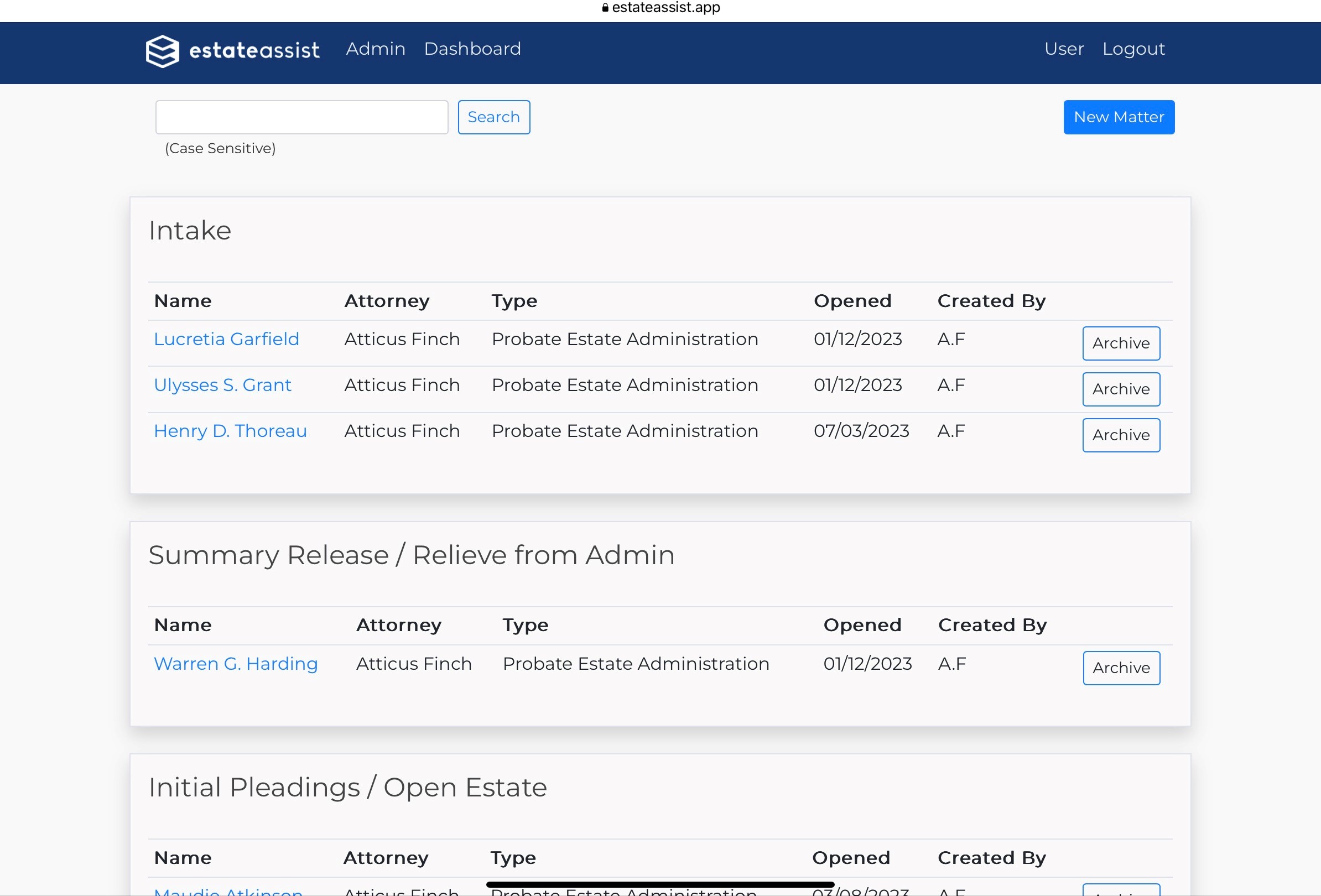
1) Organize and Search Your Cases
Knowing the status of your cases, and being able to easily access them, are vital to having an organized and efficient probate practice. EstateAssist allows (does not require) you to update your case status and see your cases by case status categories. This lets you see where all of your cases are in the process from intake to close, and it is all searchable so you can immediately get to the case you need right now.
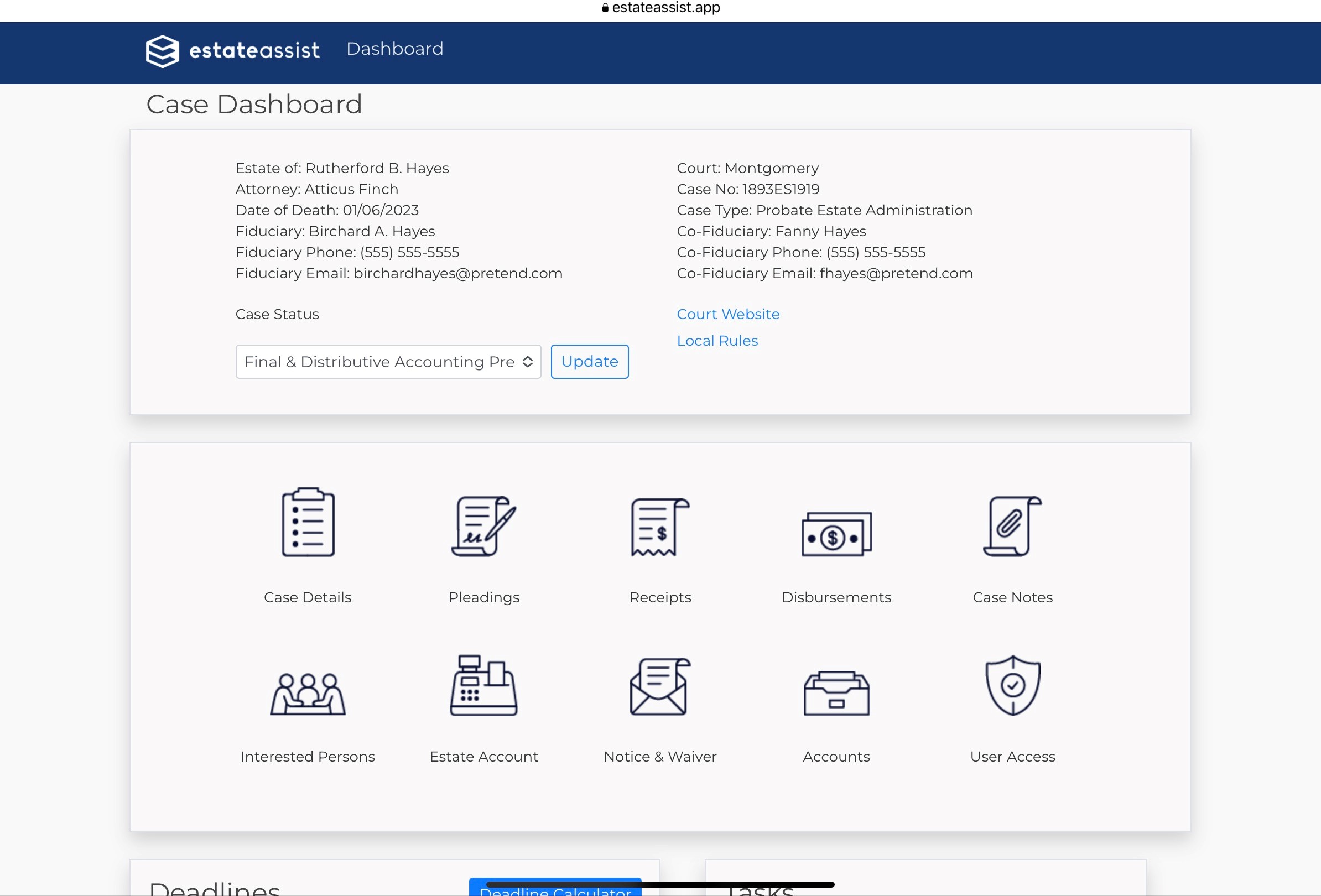
2) Easily Navigate Your Case Dashboard
When you select a case, you immediately have pertinent information at your fingertips. You see information about your case, your client, contact information, and links to your probate court web site and local rules. You also have a series of icons to easily navigate your case.
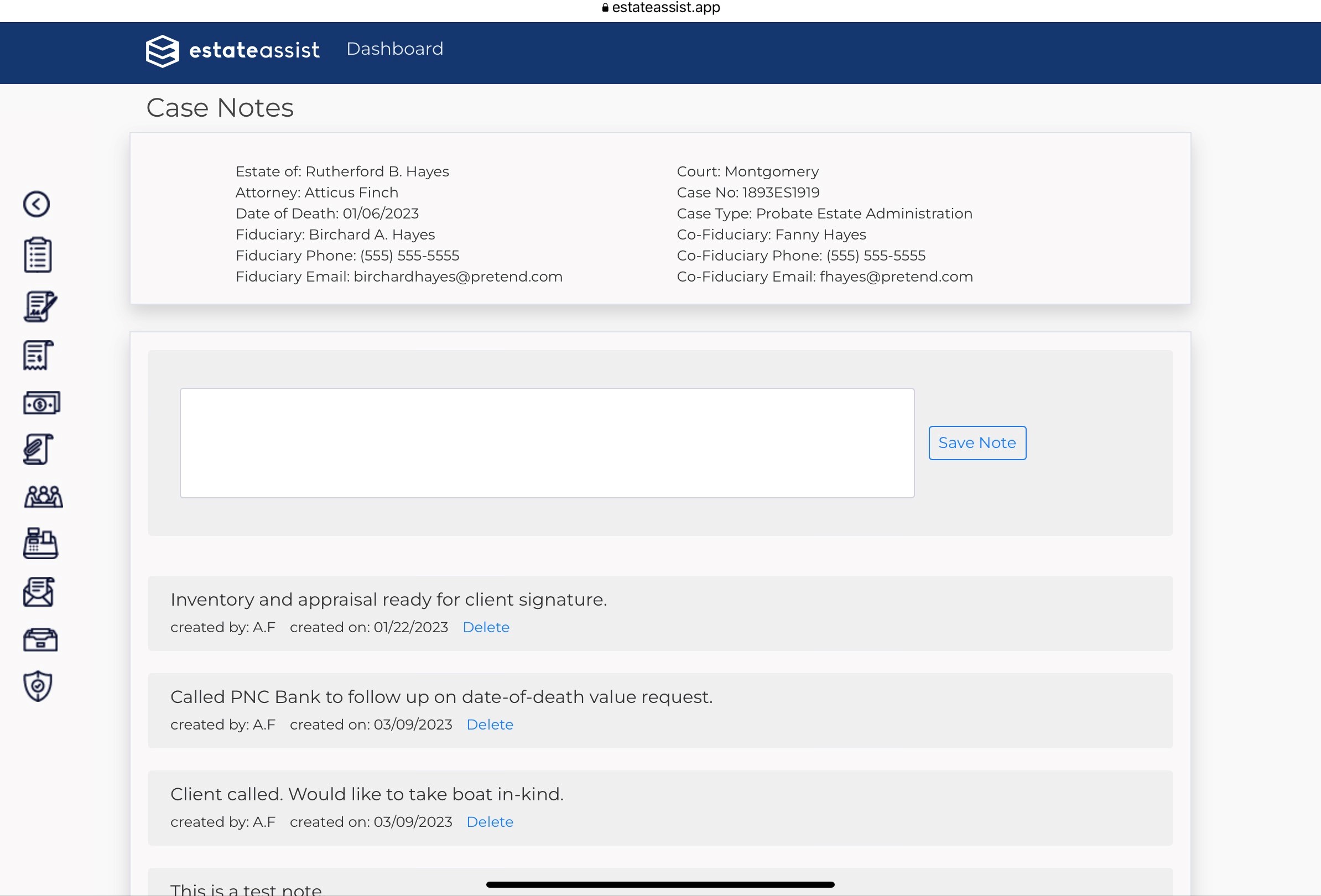
3) Keep Dated Contemporaneous Case Notes
Your cases take months and consist of many calls, letters, conversations, and decisions - and may include participation by others in your firm. Your Case Notes screen gives you a fast and easily accessible place to enter and review automatically dated and initialed notes. You will always know exactly what is happening in your case.
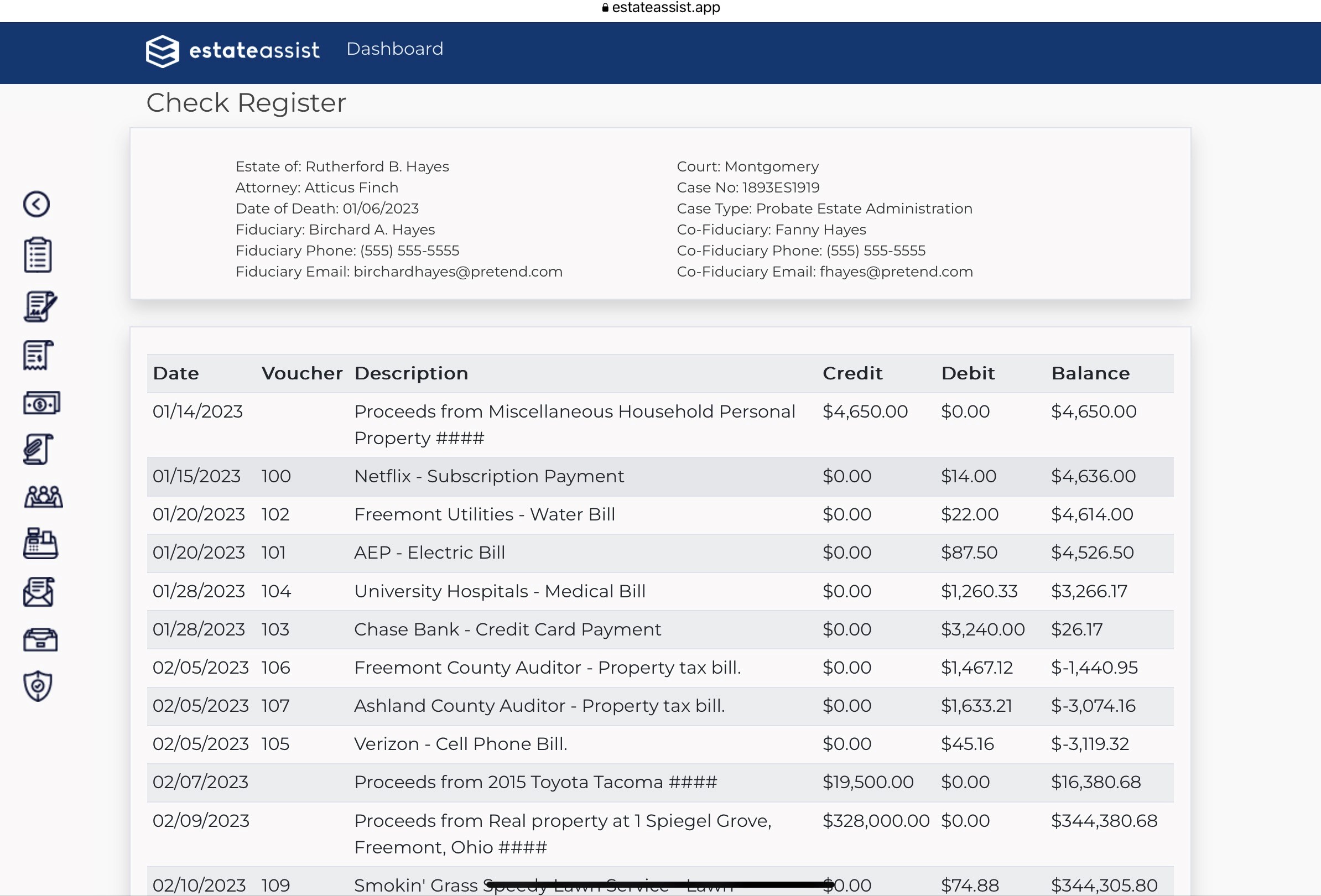
4) Automated Estate Account Register and Reconciliation
Where do you keep your estate bank account register? A spreadsheet? A computer document? A paper register? We’ve heard them all. We don’t believe you should have to track your probate information in numerous applications and places. When you use EstateAssist, your estate account is automatically tracked. Update a Receipt to note it is liquidated and deposited, and credits automatically register. Create a disbursement payment, and the debit is automatically created. You can look at your estate checking account register at any time for real time balance and transaction history.
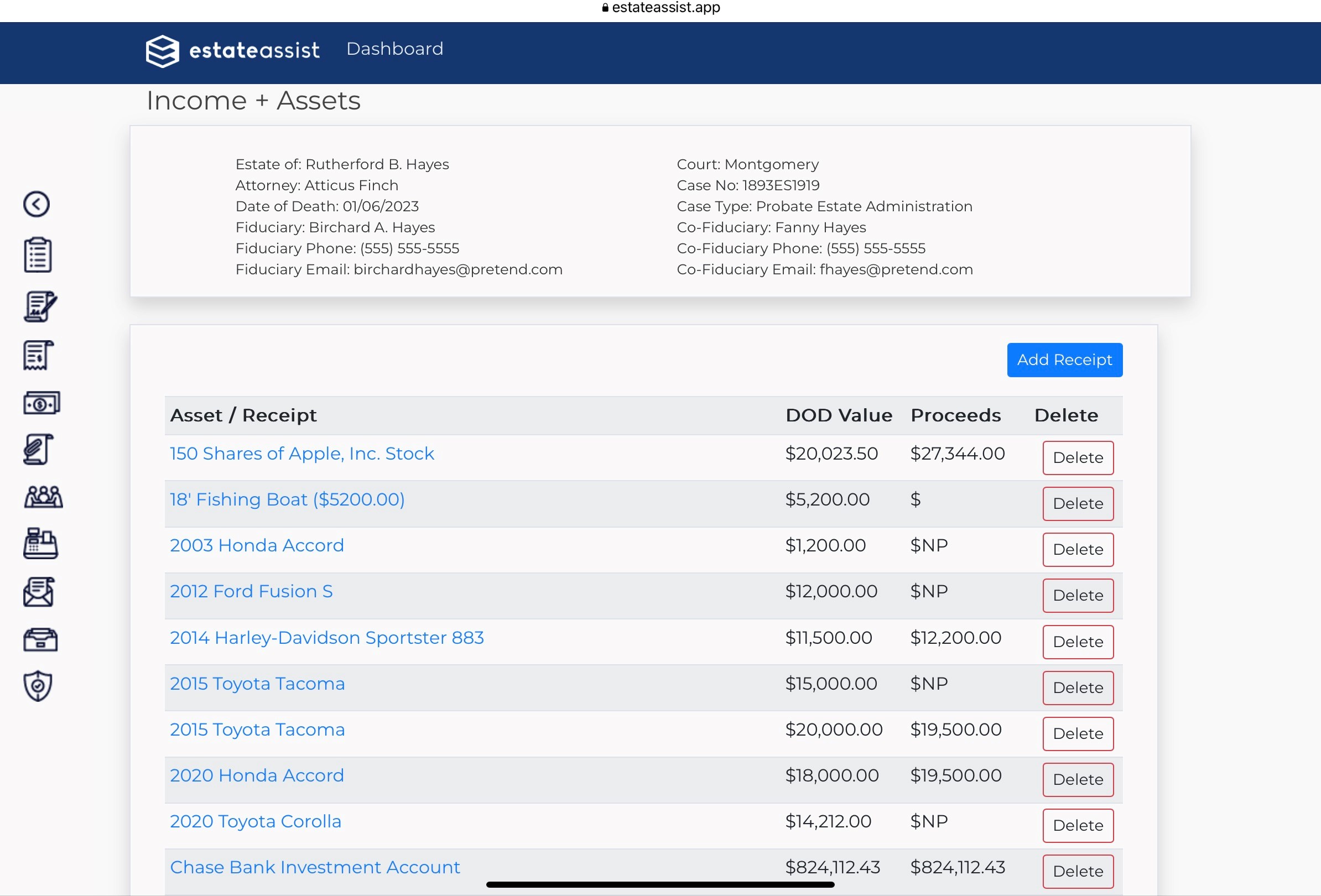
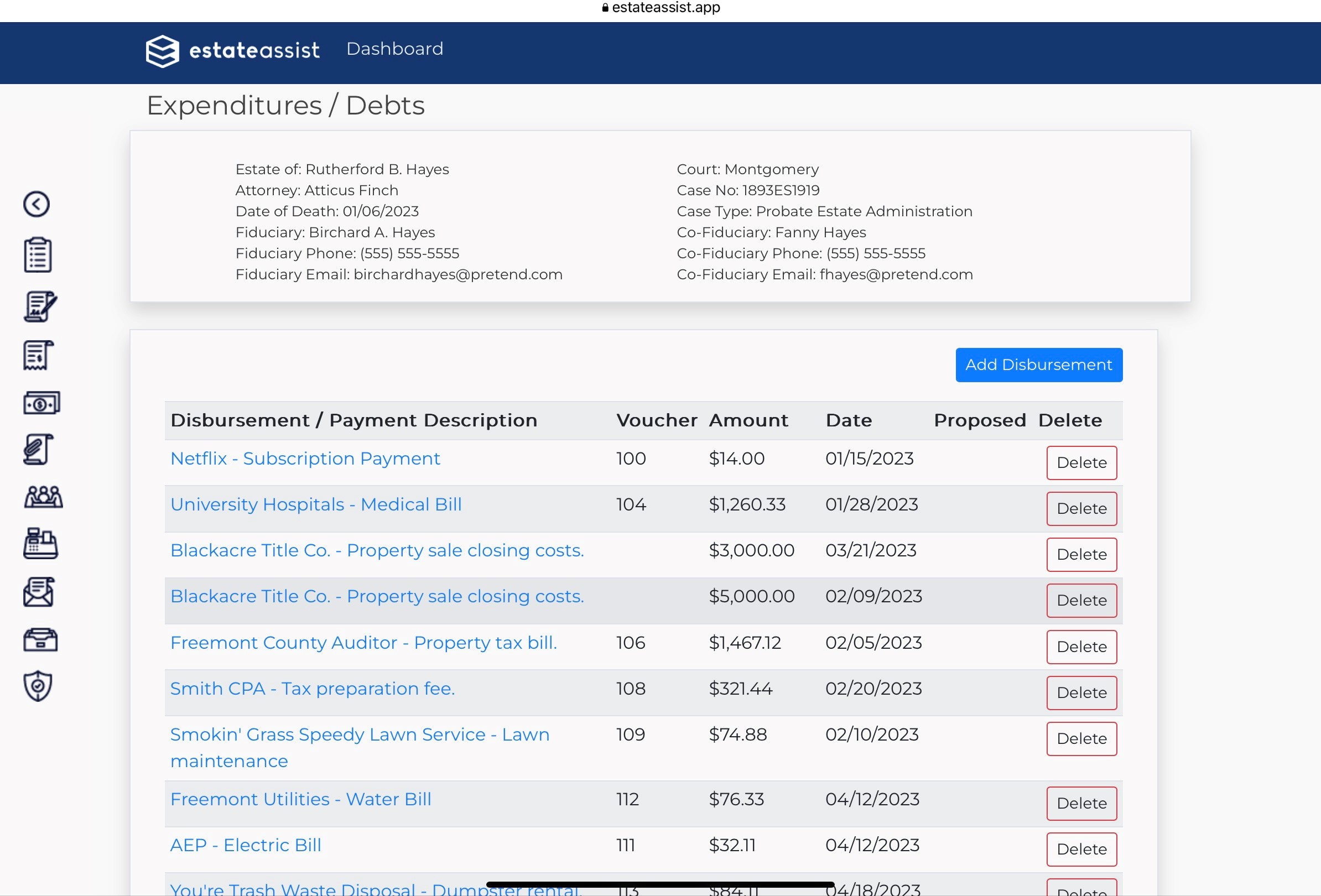
5) Streamlined Receipt and Disbursement Entry and Review
Your cases include dozens and dozens of Receipts and Disbursements. EstateAssist offers streamlined entry screens and Receipt and Disbursement tracking screens to let you easily enter and manage your financial transactions. You can quickly see all of the assets, their liquidation status, and disbursements.
6) Easily Track Case Deadlines and Tasks
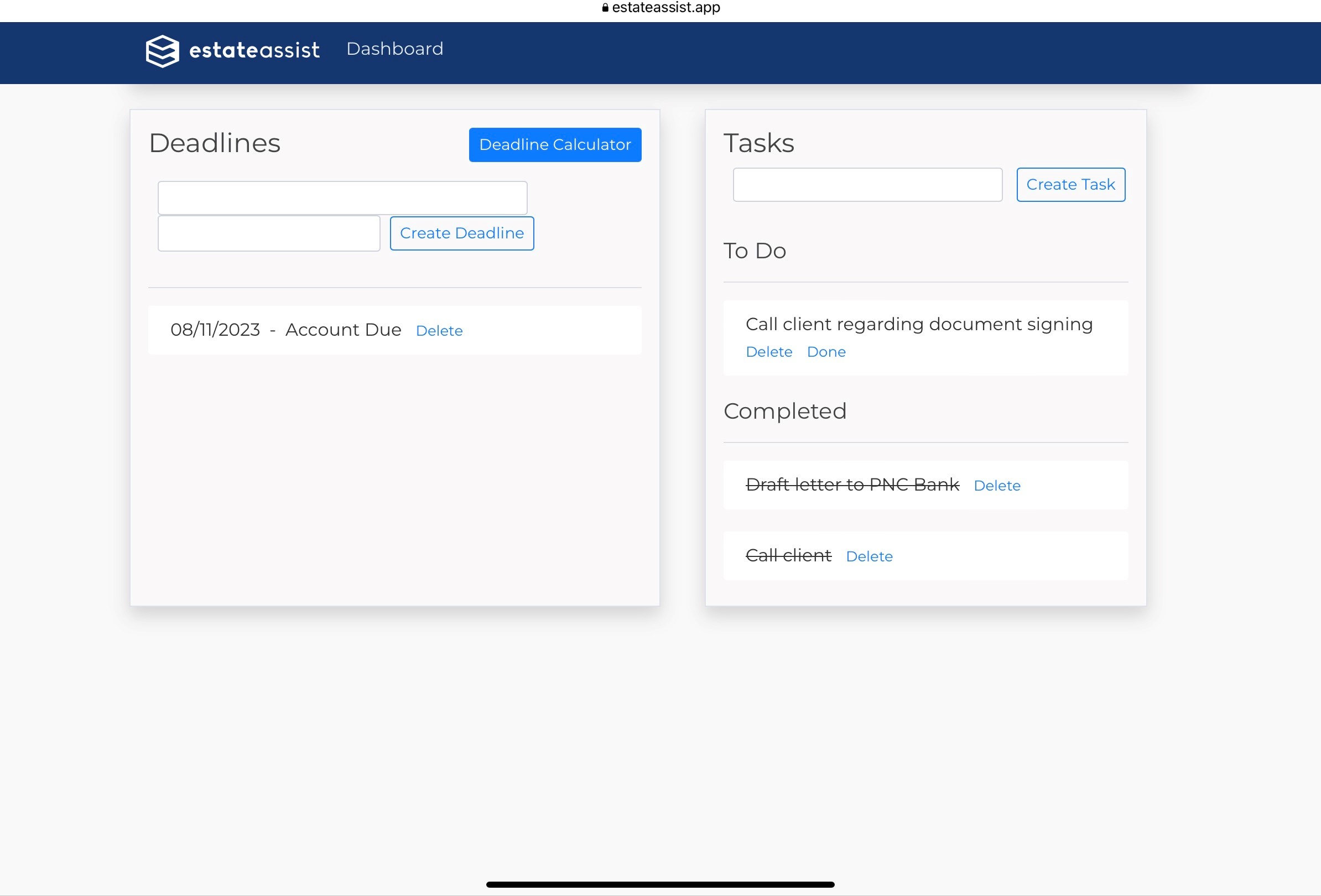
If you want to be in control of your cases and set a clear course for their completion, look to our Deadlines and Tasks features. You can easily calculate, enter, and track your deadlines (statutory and self-imposed) from the beginning of your case, to ensure you aren’t getting those pesky court notices. You can also enter tasks for yourself and/or your team, and see which ones are done and which are not.
7) Personalized Notices and Waivers
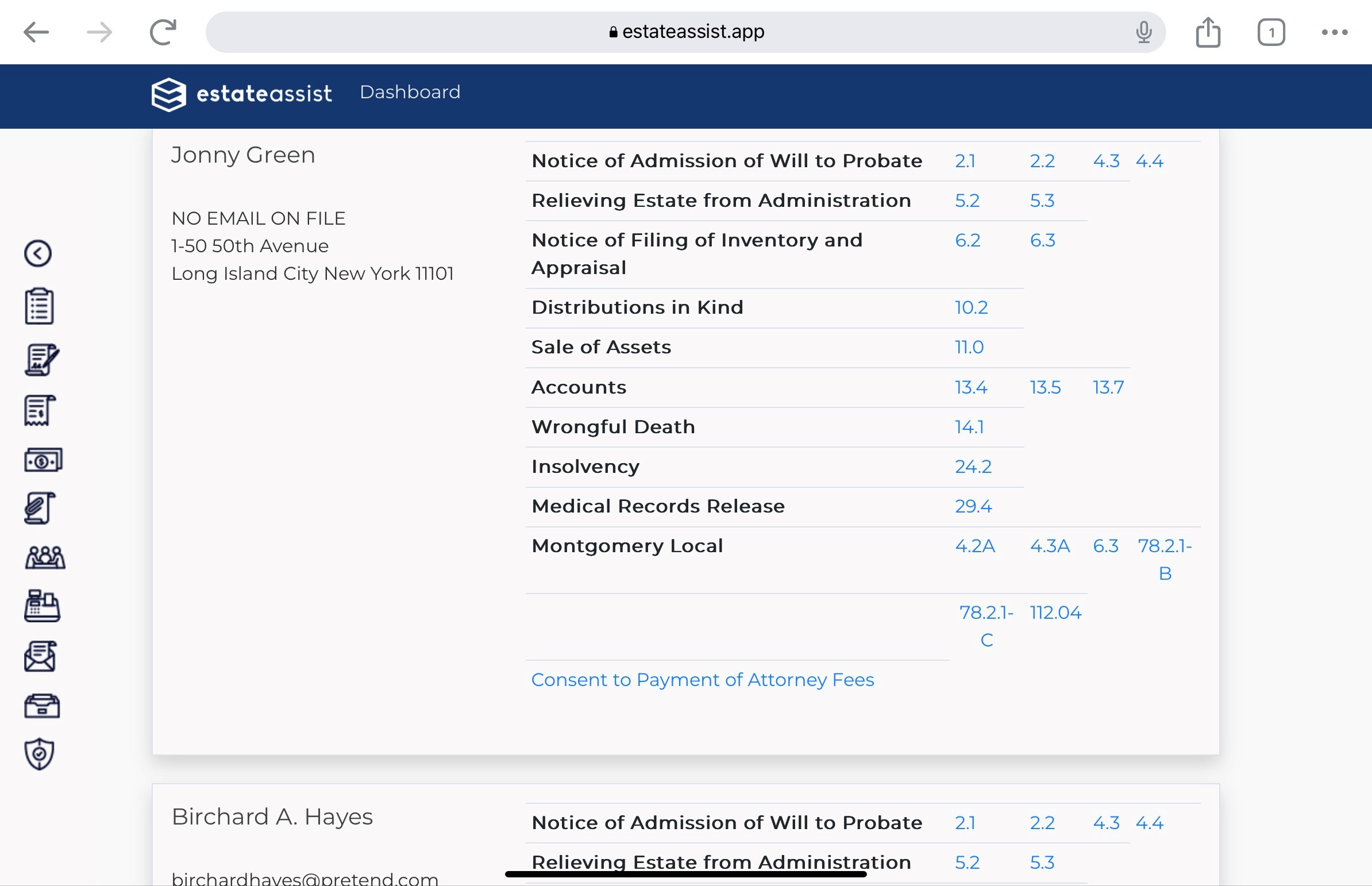
In EstateAssist’s Pleadings page, you will find waiver forms with all of your interested persons listed, for group signings. However, you can also go to your Waiver and Notice screen to find waivers and notices automatically personalized for all of them - including local form notices and waivers.
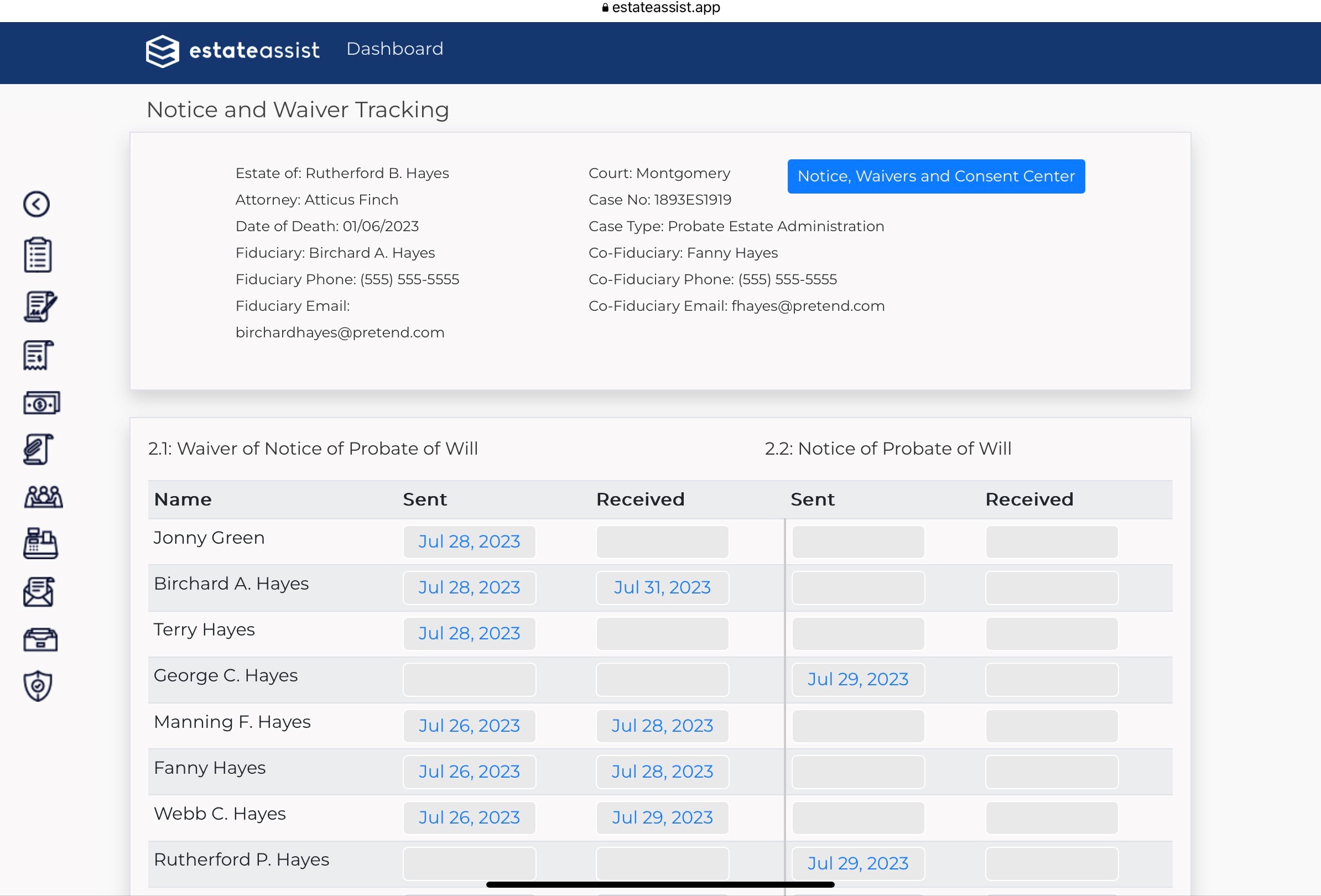
8) Notice and Waiver Tracking
When you send out those personalized waivers and notices, you often times have parts of your case put on hold. Knowing exactly who has not returned or signed for theirs, and when they were sent can be the difference between pushing the case ahead and having it sit for unnecessary delays because one person did not respond. EstateAssist’s Notice and Waiver Tracking screen is designed to help with this issue. Everyone on your team can enter dates for sending and receiving waivers and notice signature cards. The answer to “who are we waiting on” is always at your fingertips.
9) Automated Pleading Generation
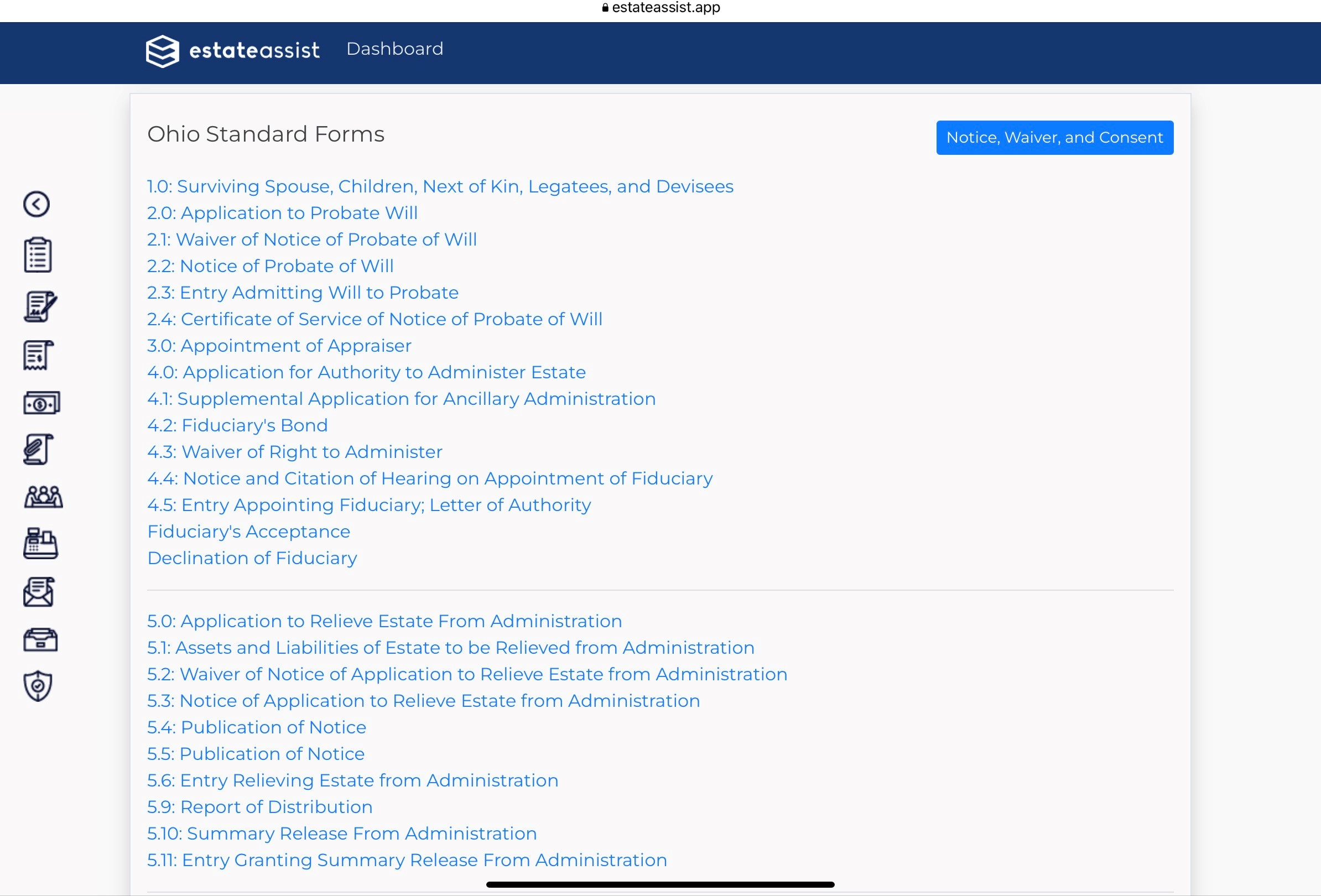
Of course, the most important superpower EstateAssist has is the automated creation of case pleadings. You’ve entered your case information, interested persons, receipts, and disbursements - now sit back and watch the magic. Our goal is for users to enter each piece of data as few times as possible - hopefully just once. Open your pleadings to find organized and automated entries throughout.
10) Local Forms
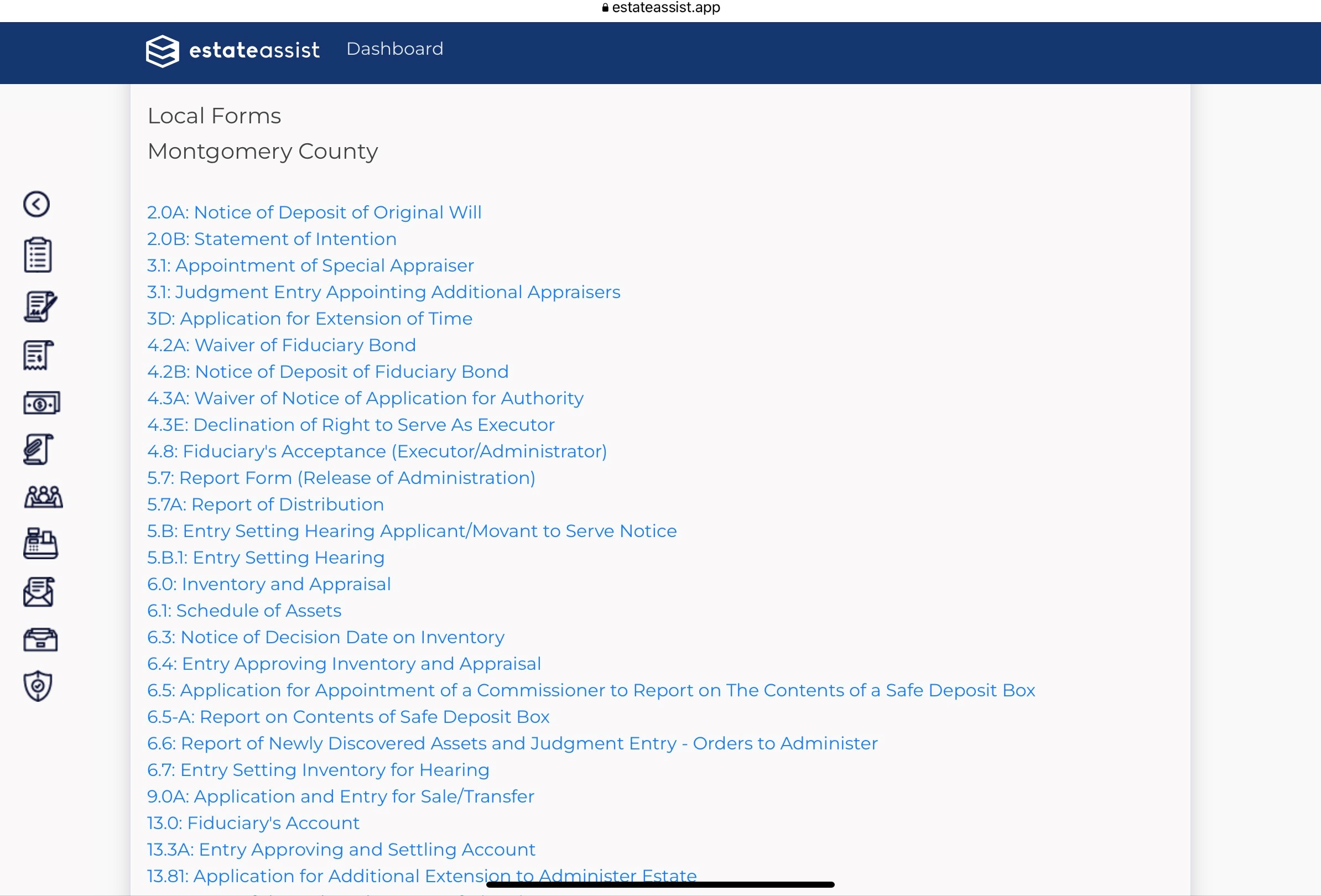
Automated pleading generation is not limited to Ohio Standard Probate Pleadings. EstateAssist is in the process of adding and updating EVERY local court probate form throughout the State of Ohio. As of the date of this article, EstateAssist has added Cuyahoga, Franklin, Hamilton, Montgomery, Greene, Deleware, Summit, Licking, and Wayne Counties. That is more than 400 local forms added over the last 3 months. We will continue to add counties every week or two. Become a user today, so you can let us know what counties you want added next.
11) Automated Estate Accounting
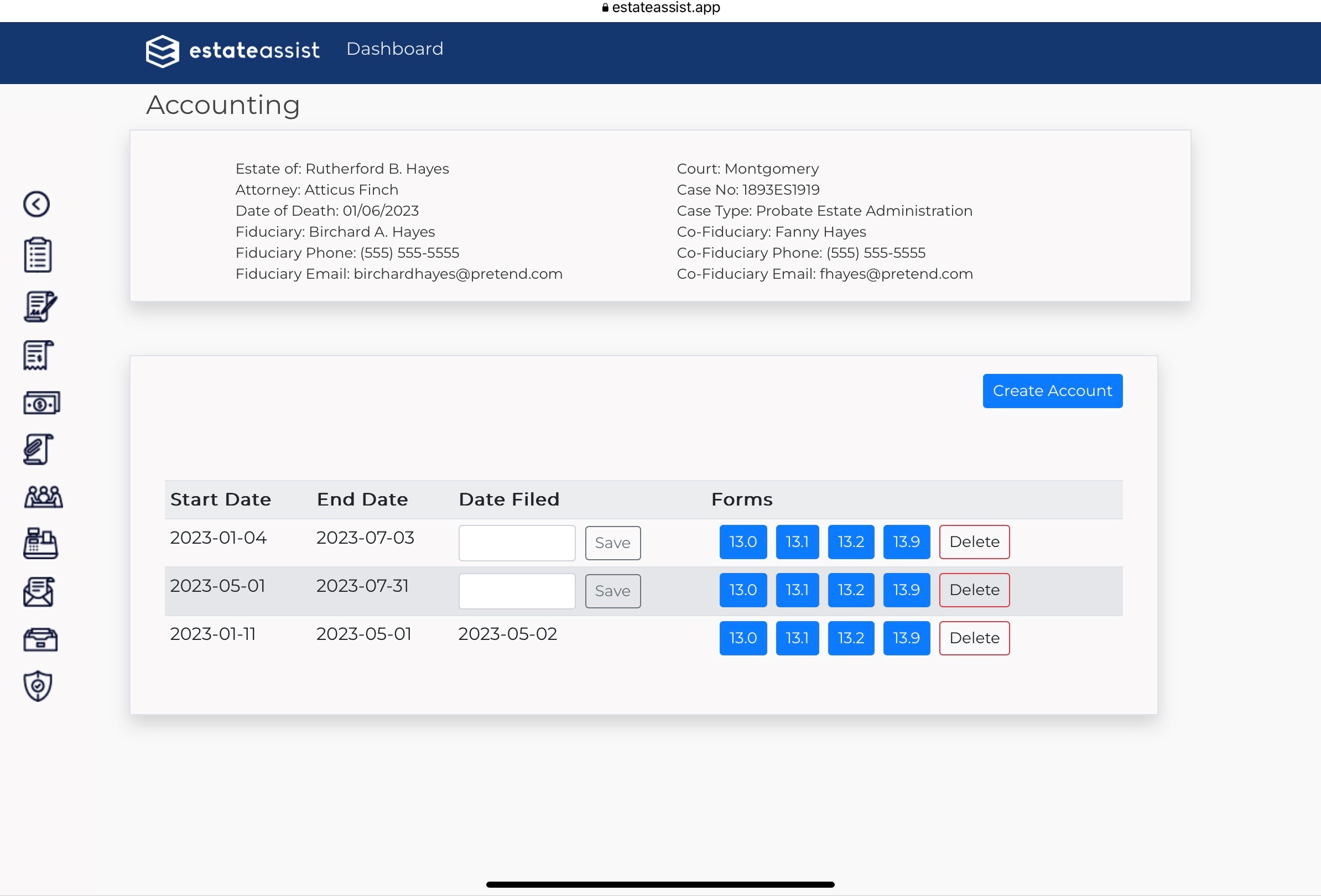
Among the most powerful of pleading preparation automations is found when you prepare an accounting of an estate. You’ve entered your Receipts, updated their liquidation, and entered your Disbursements. All that is left is to select the type of account, and the start and end dates of your accounting period. Your 13.0, 13.1, 13.2, and other account-related documents are generated immediately and completely. No more deciding “which account do you want this on?” EstateAssist knows when all of your transactions have occurred, and accounts for everything occurring in your accounting period.
These are some of our favorite features today. We can’t wait to show you some of the new and powerful tools that we will be releasing soon. EstateAssist creates your court pleadings - but that’s not ALL it does. It is designed to be a powerful app for collaborating, organizing, streamlining, and automating your probate work. We want to change how you do your work, to make it faster, easier, and more efficient than ever before.
Stop trusting your client data to out-of-date and unsupported software. Start using EstateAssist today.